
Scan a thing
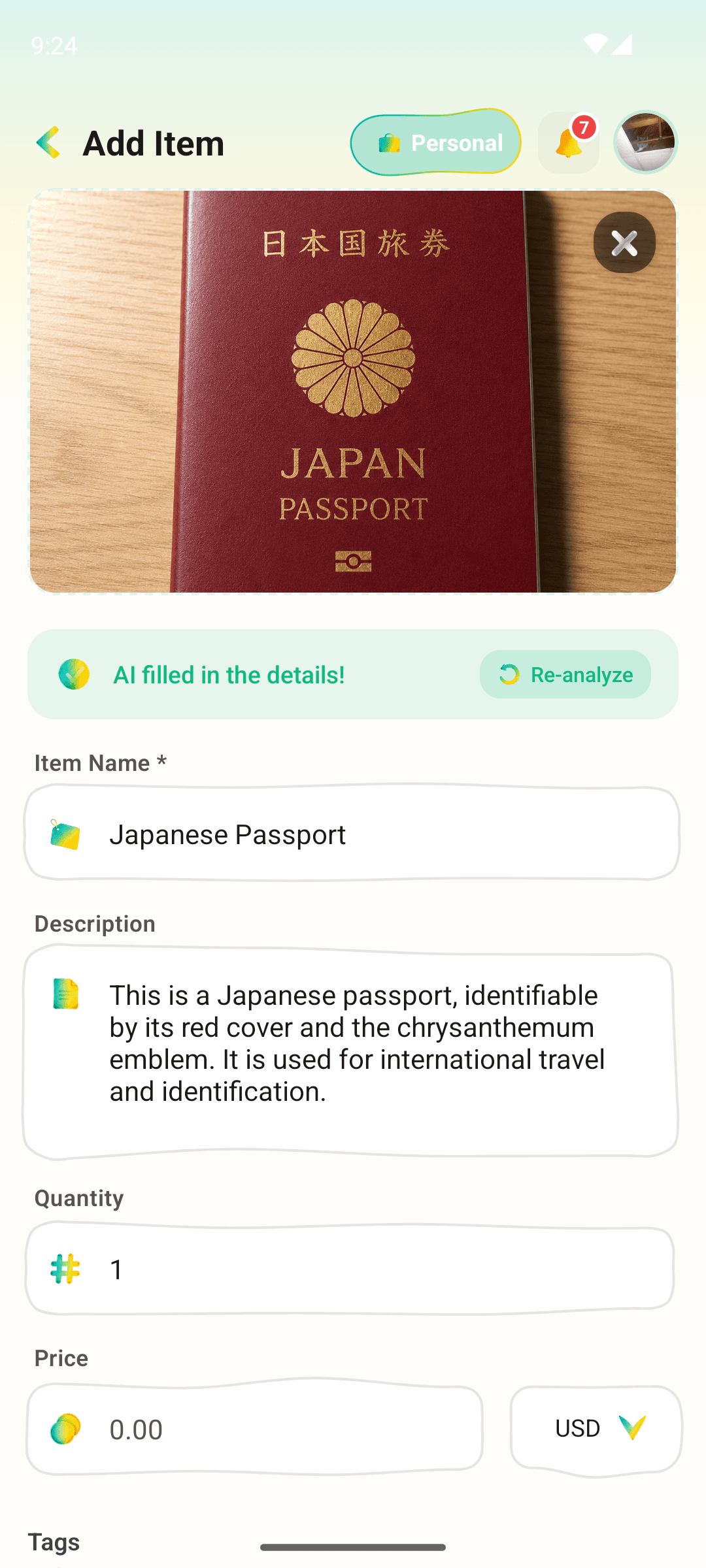
Point your camera. AllKeep proposes a name, a category, and tags. You accept or correct in a tap.
 NEW|The web app is live — try it free, no install.
INVENTORY · BY ALLKEEP
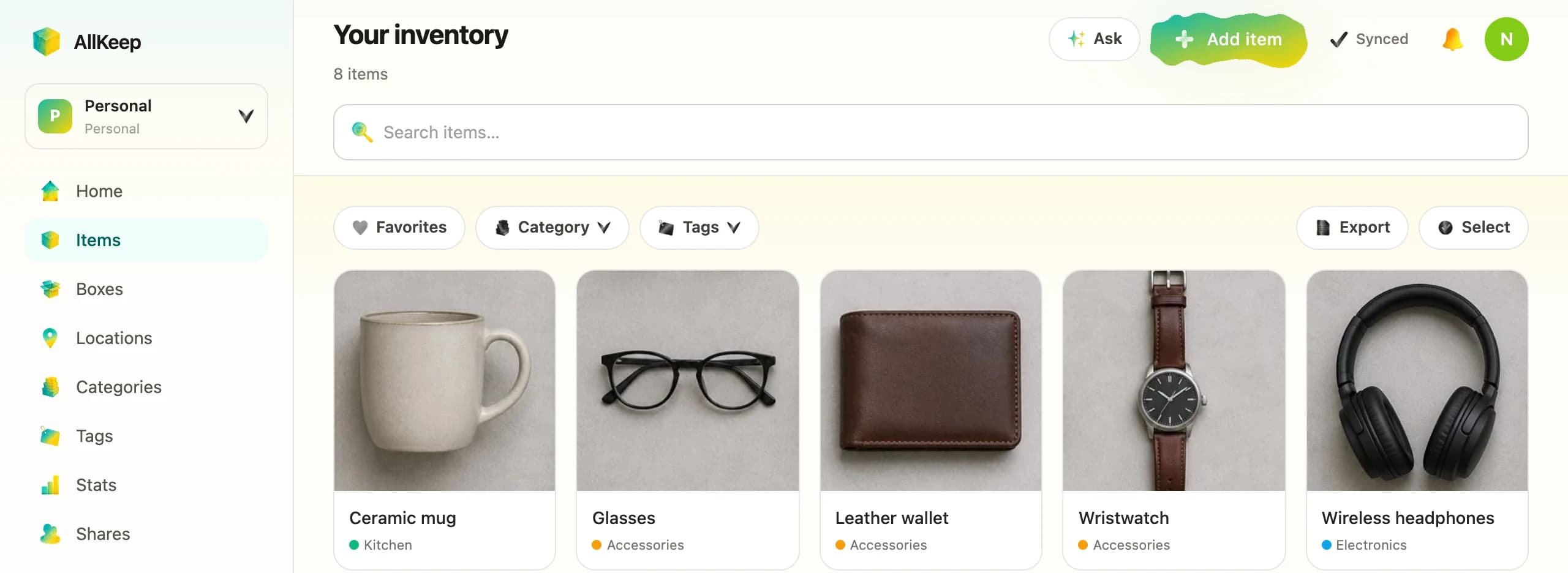
Take a photo and AI suggests the name, category and tags. Keep things in boxes with QR labels, print the list your insurer asks for, and share it all with your family.
Free to start · No card needed
global.inventoryPromise.exportFree
Free
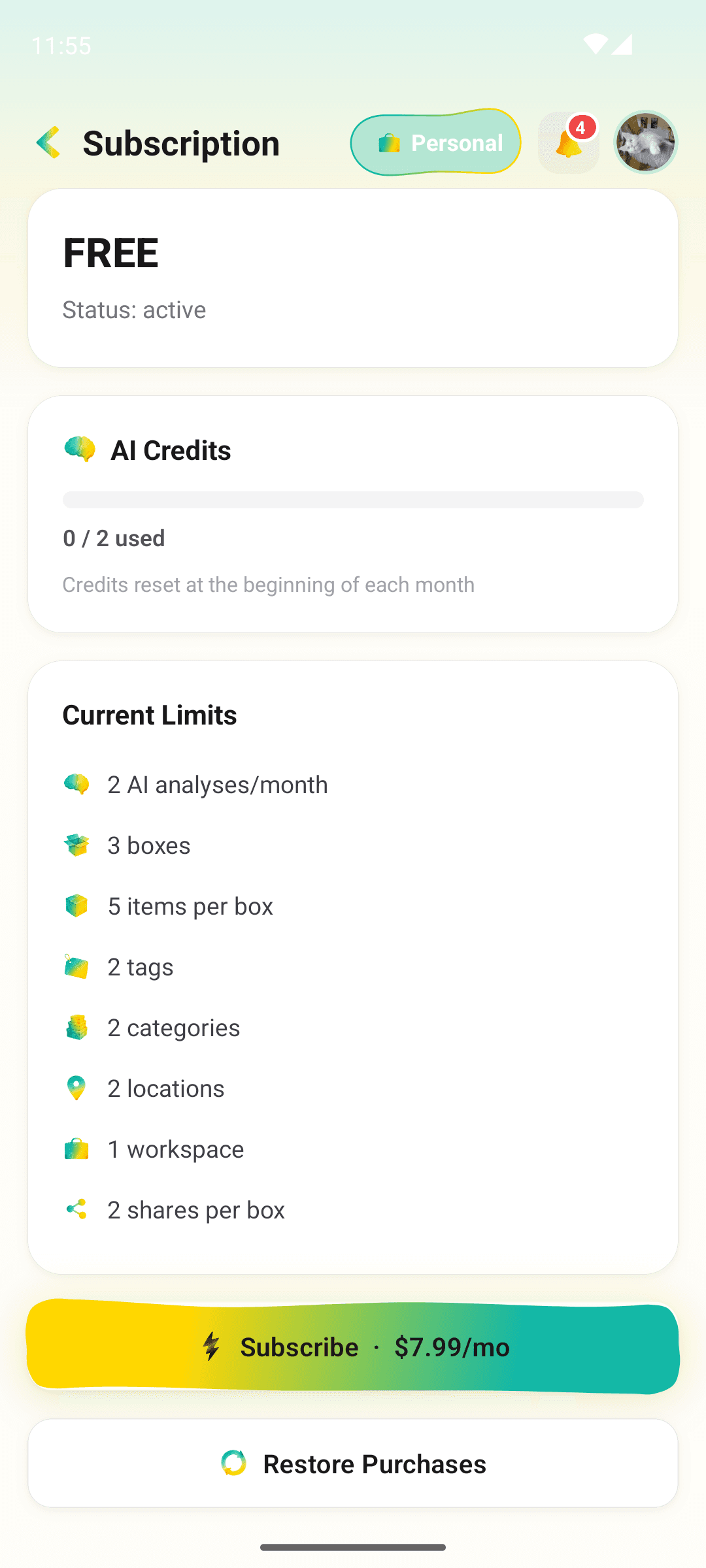
Items, boxes, QR labels, sharing and the report, plus 30 AI photo credits a month
Web + Android
One account on both. The web app needs no install
6 languages
English, 日本語, Русский, हिन्दी, 中文, Bahasa Indonesia
FOR YOUR INSURER
After a fire, a flood or a theft, an insurer asks what you owned. The report builds that list from your inventory: every item with its photo, place and value, and the total.
 Print it or save it as a PDF, photos included.Download the same list as a CSV file for a spreadsheet.Grouped by room or by category, with a total for each.Free, and it shows which items still need a photo or a value.
 Prefer paper or a spreadsheet? Free template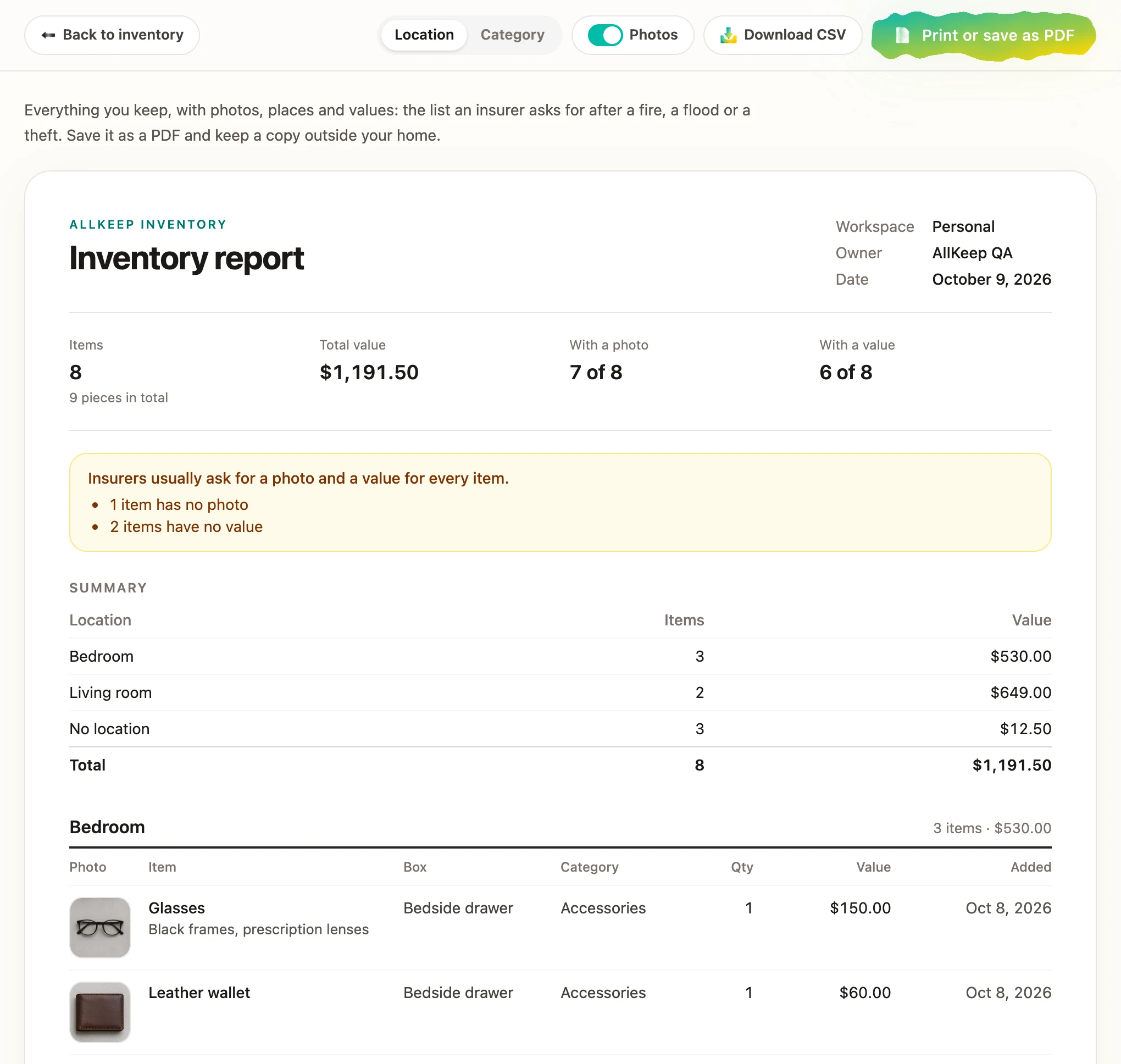
BOX LABELS
Every box gets its own QR code. Print it, stick it on the box, and scan it later to see what is inside without opening the lid.
Download the code as an image and print it on paper or a sticker.Scan it with a phone camera and the box opens in AllKeep.Only you and the people you share the box with can see what is inside.Free, for as many boxes as you have.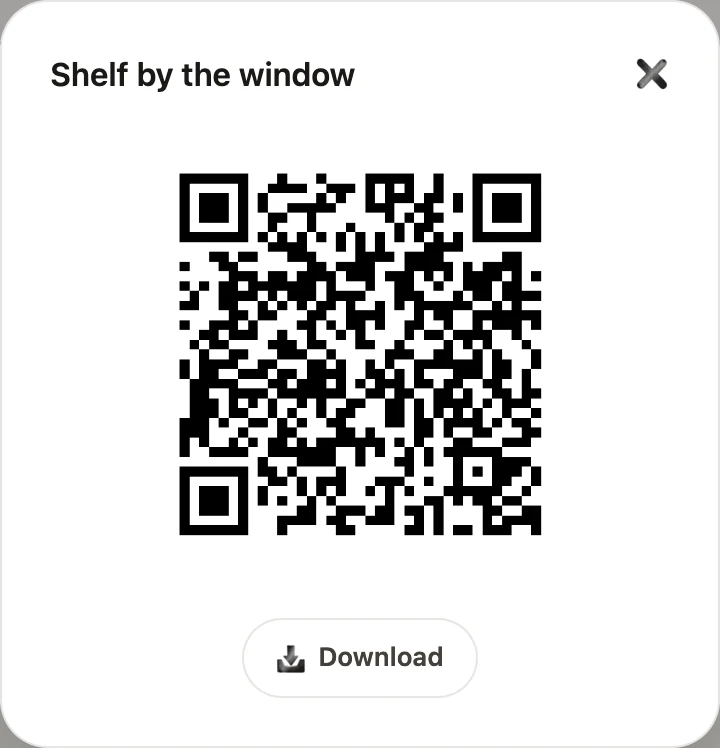
WHO IT'S FOR
Works for a one-time mover, a serial collector, and everything in between.

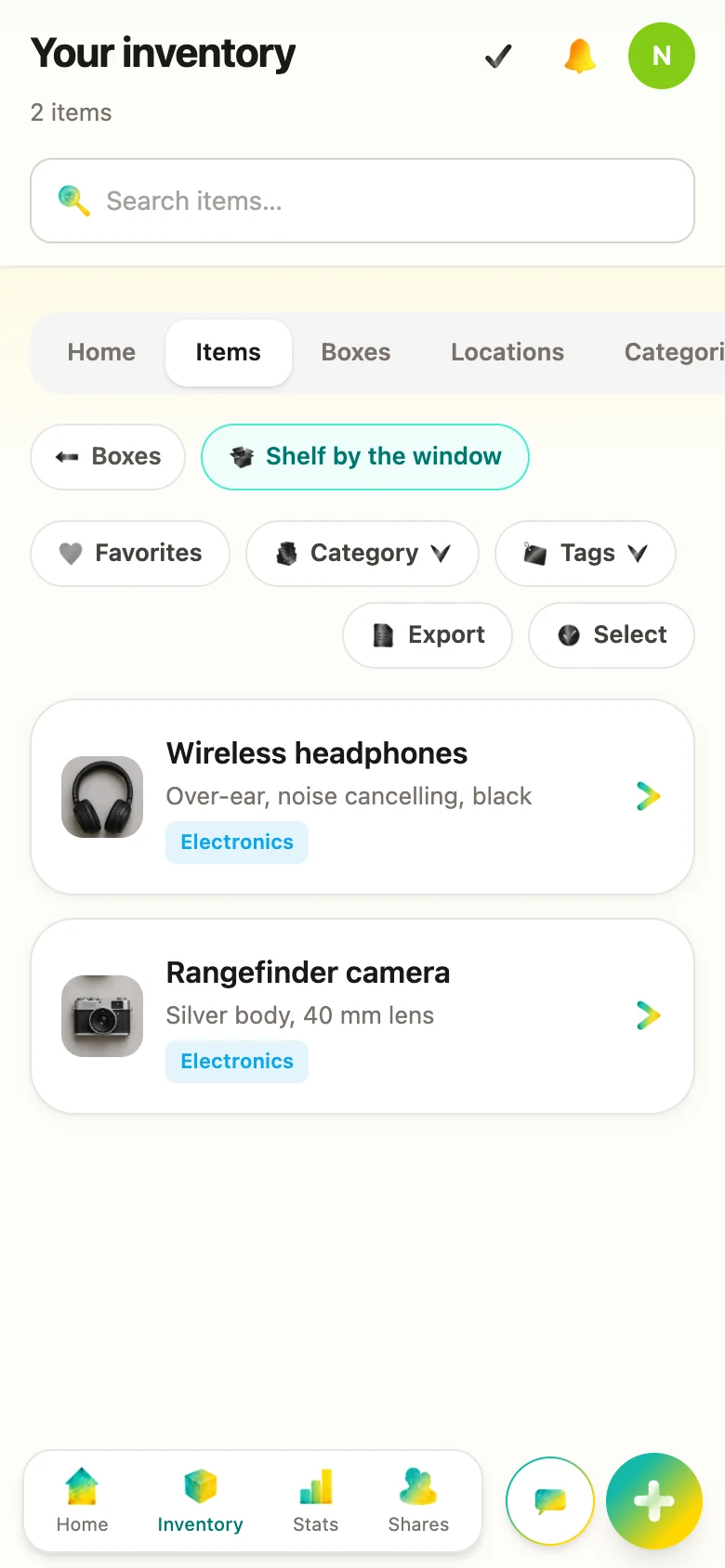
Thirty boxes stacked in the new living room. AllKeep tells you which one has the kettle without opening a single lid.
Vinyl, cameras, fountain pens, vintage watches. A private record of the things you love — never on a public catalog.

Kids' clothes across sizes and seasons. Hand-me-downs that don't get lost in the attic.

Small apartment, off-site storage, things rotating in and out by season. Always know what's where.

Know what you own and where it is before it goes online. Cleaner listings, faster turnarounds.
WHAT IT DOES
Four core actions. The rest of the app is built around making them fast.
Point your camera. AllKeep proposes a name, a category, and tags. You accept or correct in a tap.

Group items into boxes, assign boxes to rooms or storage units. Move things between boxes with one swipe.

Search across titles, descriptions, tags, even AI captions. "Where's the wedding plates?" — and there they are.
Invite a partner or family member to a shared workspace. View-only or full edit — you choose, per workspace.
WHAT'S INSIDE
Each tile is an actual screen in the shipping app.
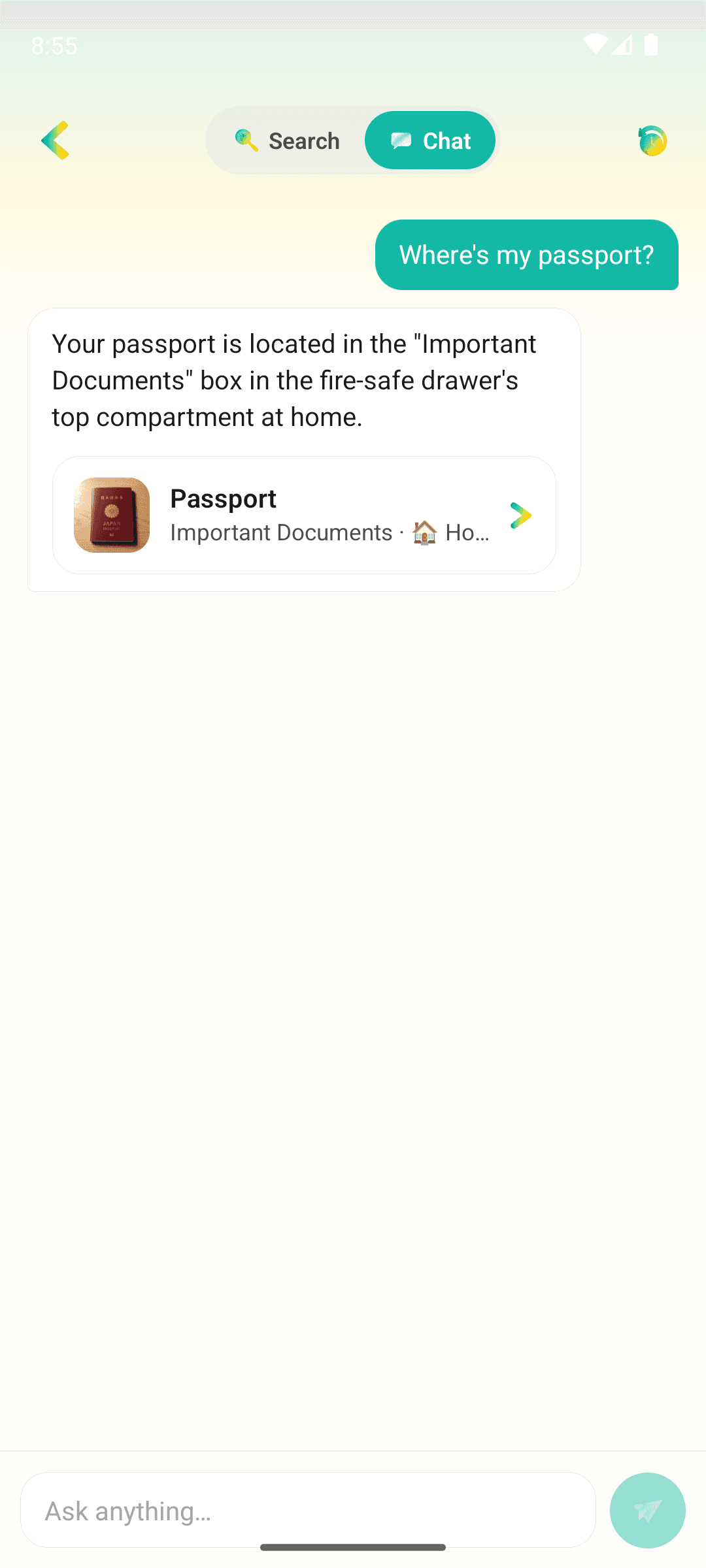
 01 / 08 · Ask
Type a question in plain language. AllKeep finds the item, the box, and the room — from your own inventory, no public catalog. Part of the AllKeep subscription.
 02 / 08 · Snap
We tag it, name it, sort it. Point the camera at a thing; accept or correct the draft in a tap.
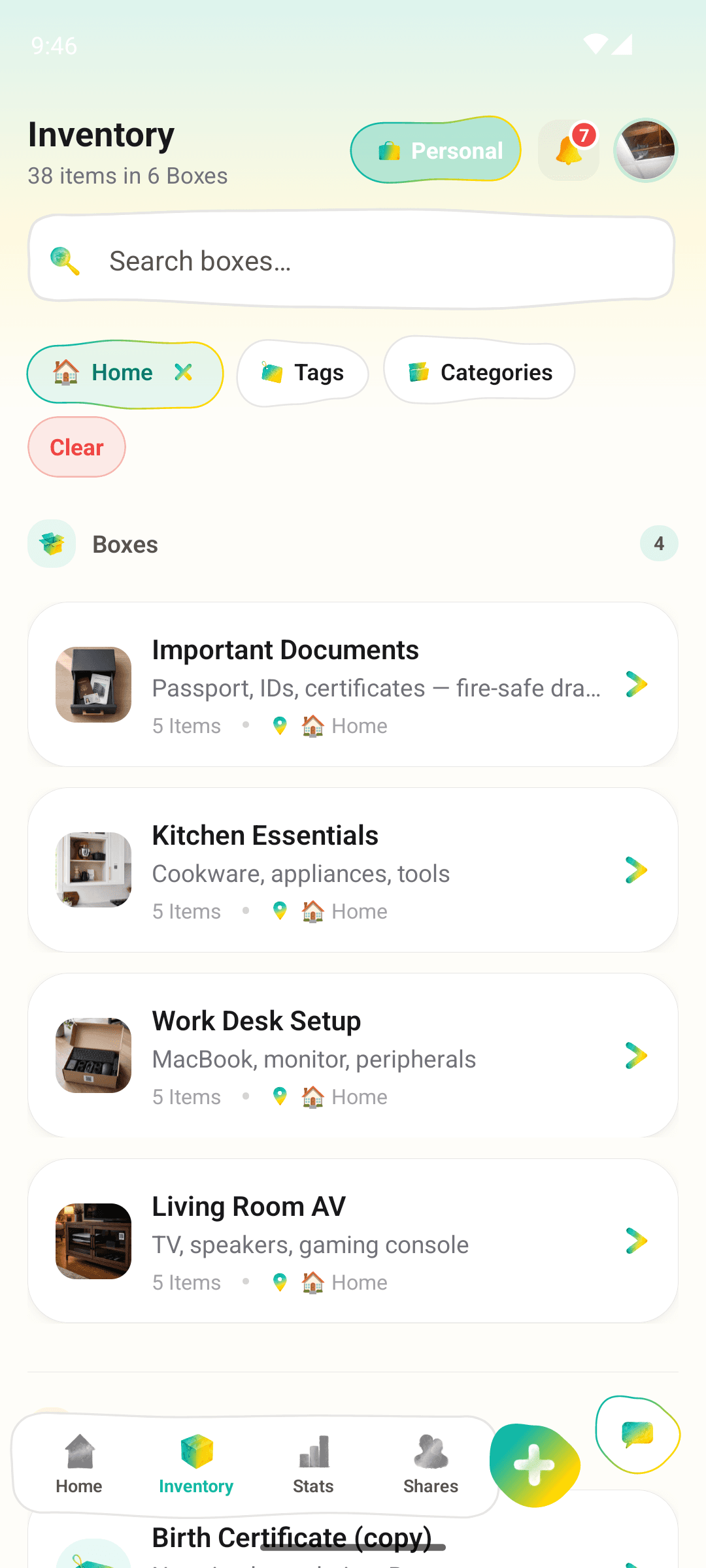
 03 / 08 · Locations
Real life nests. Your inventory should too — apartment → bedroom → wardrobe → top shelf. Or keep it flat. Up to you.
 04 / 08 · Photos
Front, back, serial, receipt, the small dent — all on one card. Swipe between them on the detail screen without leaving it.
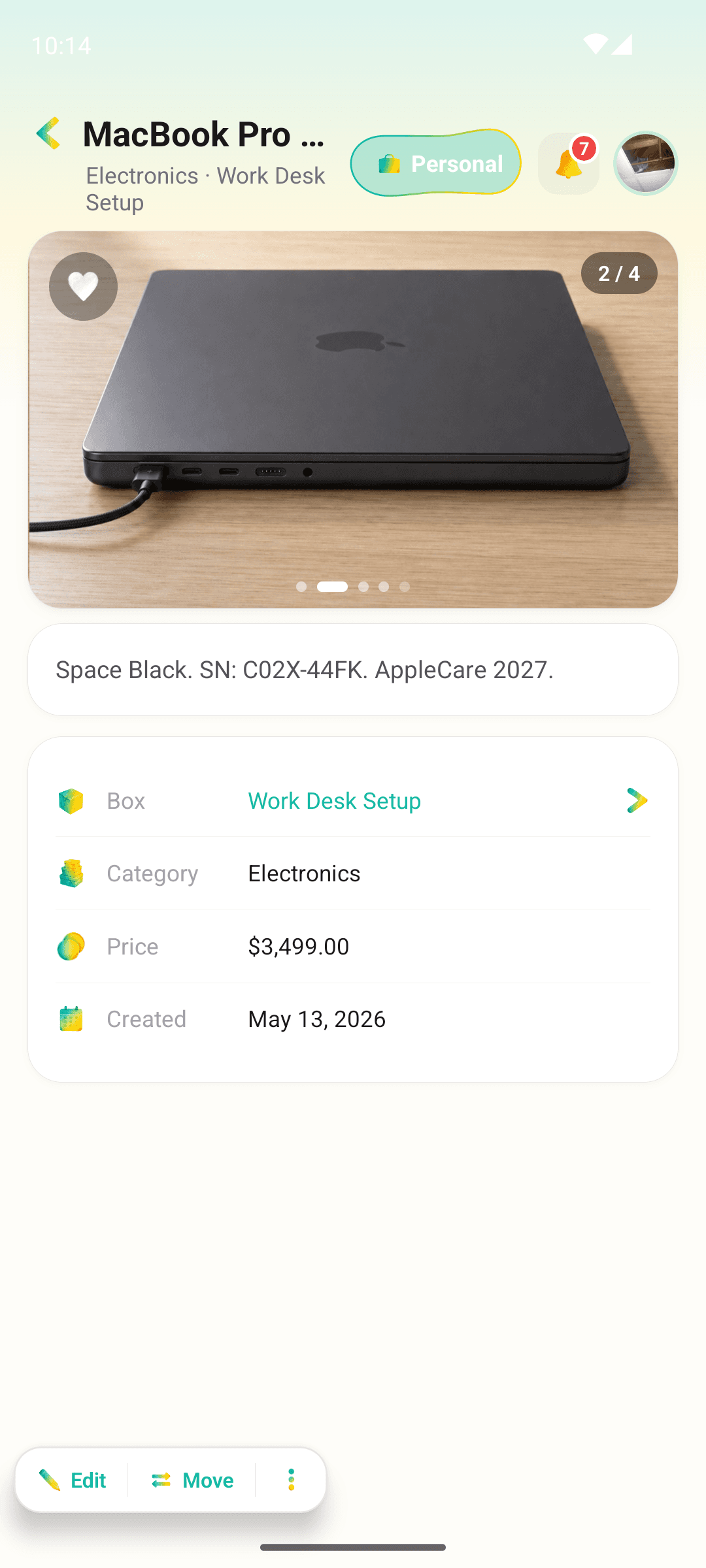
 05 / 08 · Bulk add
Lay them on a grid — a cutting board, a shelf, the open trunk. AllKeep splits the photo and tags each cell. You confirm; they all land in a box.
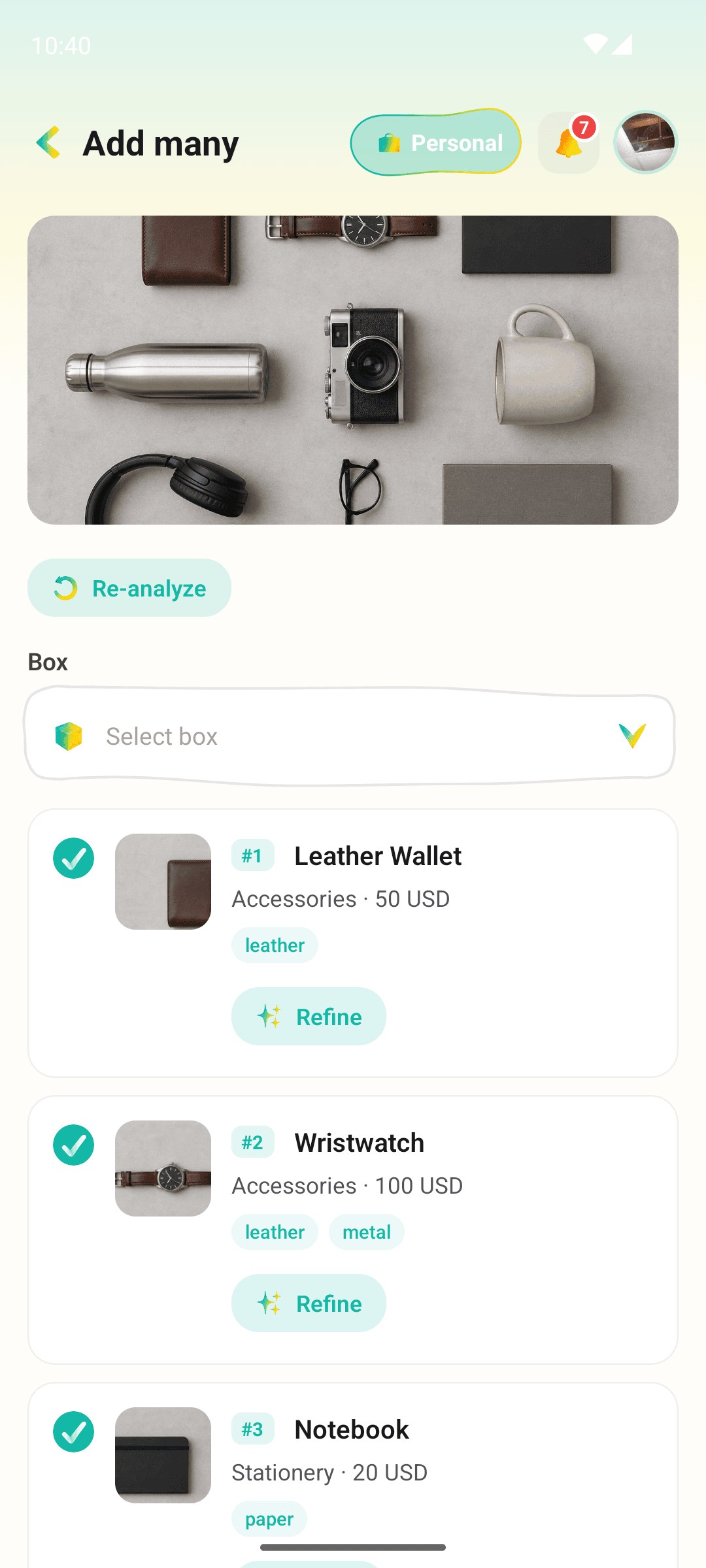
 06 / 08 · Sharing
See who accepted, who's still thinking, who said no. Invite by e-mail or QR; view-only, edit, or manage — per recipient. Revoke anytime.
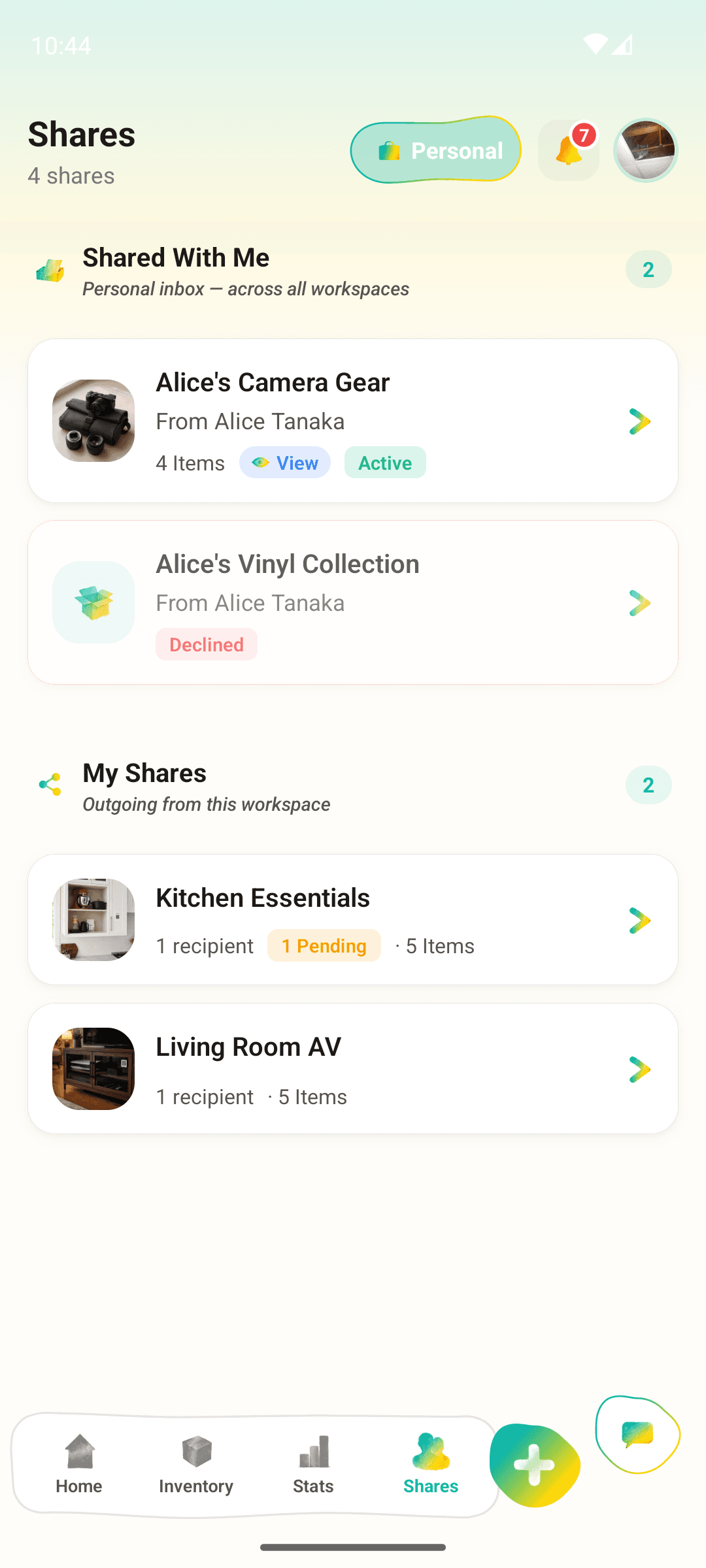
 07 / 08 · Workspaces
Three separate inventories, one app. Your own stuff, the family attic, the Airbnb you manage — one switch away, no bleed between them.
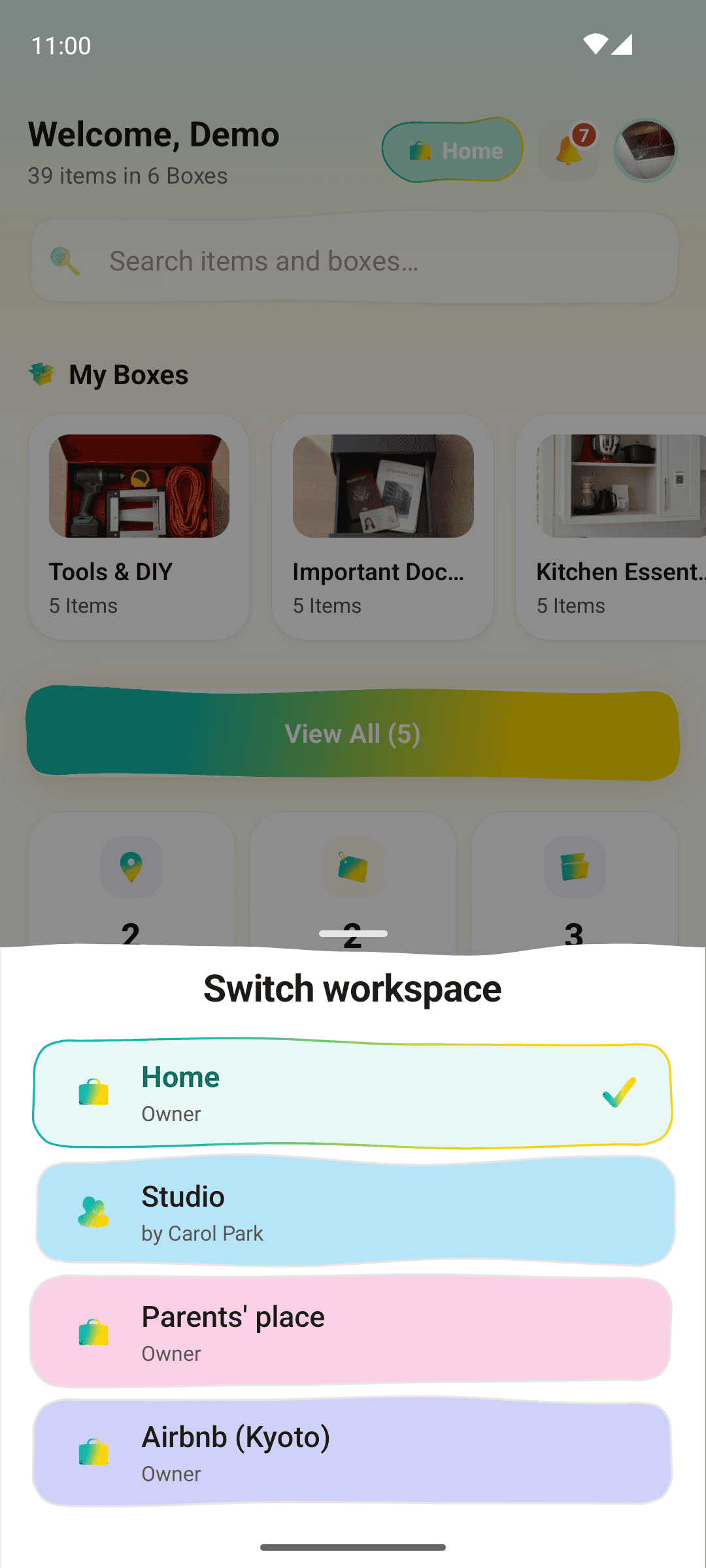
 08 / 08 · Pricing
$5 a month on the web unlocks unlimited AI photo recognition and Ask your stuff. Cancel any time. Items, boxes, locations, sharing, QR labels and the report stay free.
global.inventoryPromise.exportFree

Free download · Android 8.0 and up

iOS version is on the roadmap
WHAT'S NEXT
Three things we plan to build next. None of them is in the app yet.
 Planned
Drop an AirTag (or a Tile, or a SmartTag) into a box, AllKeep ties it to the inventory record. Ping the box from the app — no opening 30 boxes to find the kettle.
 Planned
Scan a barcode on packaging, AllKeep fetches the canonical name + image + category. Pantry tracking goes from "label each can" to "point and tap".
 Planned
Ask the AI for thoughtful suggestions — "how should I sort the garage?", "should I buy this jacket?", "do I already own one of these?". Grounded in what you actually have.
GUIDES & USE CASES
Practical guides, walk-throughs, and concrete use cases for getting more out of the app.

May 17, 2026
Marc blocked a Saturday, downloaded four home-inventory apps, and tried each one on the same shelf. Sortly, Encircle, HomeZada, AllKeep — what happened.
Read
May 17, 2026
Plain-language search across your own inventory. Type 'where's my passport', get the room, the cabinet, the shelf. Built for the morning you can't think.
Read
Apr 28, 2026
A room-by-room household inventory checklist that pays for itself — log the right things, ignore the rest, finish in 90 minutes. Free template + free app.
ReadQUESTIONS
Items, boxes, locations, sharing, QR labels and the report are free, on the web and on Android, and free accounts get 30 AI photo credits a month. The subscription costs $5 a month on the web and adds unlimited AI photo recognition and Ask your stuff. In the Android app, Google Play shows its price before you pay.
Yes. The report in the web app lists every item with its photo, place and value, grouped by room or category, with totals. Print it, save it as a PDF or download it as a CSV file. It is free.
No. Download a box's code as an image, print it on paper or a sticker sheet with any printer, and tape it to the box.
Yes. The web app works in any browser at allkeep.org, with the same account as the Android app. You can try it with one photo before you make an account.
Not yet. On an iPhone or iPad, use the web app in Safari. The iOS app comes after the Android one.
Yes. We don't sell, index, or train models on your data. Photos and item details are encrypted in transit and at rest. Full policy at allkeep.org/en/privacy.
For optional photo recognition and search, yes — AllKeep labels your items so you don't have to type. You can turn it off entirely; the rest of the app still works the same way.
READY?
Free in your browser and on Android. Try it with one photo before you make an account.